
Binary to Gray Code Conversion Explained
Explore how binary numbers convert into Gray code using truth tables 🔍. Understand the single-bit difference and see real-time examples for electronics and communication!
Edited By
Isabella Turner
Binary code lies at the heart of all digital communication and computing. It is the fundamental language computers use to represent data, including alphabets. At its core, binary is a numbering system that uses only two digits: 0 and 1. Every character you see on a screen or in a file has a corresponding binary representation that computers understand.
Alphabets, or letters, are mapped to specific binary values through character encoding standards. The simplest and most famous of these is ASCII (American Standard Code for Information Interchange), which assigns a unique 7-bit binary number to letters, digits, and symbols. For example, the capital letter 'A' is represented by the binary code 01000001, which equals the decimal number 65. This standard covers English alphabets but falls short for other languages or special symbols.
To address this limitation, the Unicode standard was introduced, which can represent over 140,000 characters from various scripts worldwide. Unicode employs variable-length encoding schemes like UTF-8 and UTF-16, where characters can be one to four bytes long in binary. This makes digital communication truly global, supporting alphabets from Hindi, Bengali, Tamil, and many other languages spoken across India and beyond.
Understanding how alphabets translate into binary is crucial for those involved in finance, trading, or data handling, as this knowledge aids in grasping how information moves and is processed securely and efficiently across digital systems.
Data Storage: Every letter in your email’s subject line or a stock ticker symbol is stored in binary form on servers.
Data Transmission: Financial transactions and stock exchanges send text data in binary packets.
Encoding Standards Impact Security: Proper encoding prevents misinterpretation of data that could lead to errors or vulnerabilities.
Knowing these basics helps you appreciate how a simple letter is more than a symbol; it’s a series of ones and zeroes travelling through complex systems to reach you, making modern digital communication seamless.
This foundation sets the stage to explore character encoding standards and their role in keeping data consistent and understandable in computing environments.
Understanding binary representation is essential because it forms the foundation of all digital computing. Every piece of data, whether numbers, alphabets, or multimedia, breaks down into binary code—the language computers inherently understand. This makes grasping binary basics directly relevant to comprehending how alphabets get encoded, processed, and communicated.
Binary code uses just two symbols, typically 0 and 1, to represent information. These are called binary digits or bits. Unlike our decimal system, based on ten symbols (0-9), binary’s limited symbols simplify the physical design of computer hardware since devices only need to recognise two states, such as on/off or high/low voltage.
For example, your mobile’s processor works with billions of bits every second, processing these simple zeros and ones to carry out complex tasks, including displaying alphabets on screen or transmitting messages.
Binary is a base-2 numbering system, unlike decimal which is base-10. Each position in a binary number represents a power of 2, starting from 2⁰ at the rightmost bit. For instance, the binary number 1011 equals 1×2³ + 0×2² + 1×2¹ + 1×2⁰, which is 11 in decimal.
This positional structure makes binary very effective for computing since digital circuits naturally function with powers of two, allowing efficient arithmetic and logic operations.
To convert a decimal number like 19 into binary, divide the number repeatedly by 2, recording the remainders. For 19:
19 ÷ 2 = 9 remainder 1
9 ÷ 2 = 4 remainder 1
4 ÷ 2 = 2 remainder 0
2 ÷ 2 = 1 remainder 0
1 ÷ 2 = 0 remainder 1
Reading remainders backward gives 10011, which is 19 in binary. This method is practical when manually converting data or understanding how text characters translate into numeric codes.
A bit is the smallest information unit, representing either 0 or 1. However, single bits are rarely useful alone. A byte, typically eight bits grouped together, forms the basic chunk for representing characters such as alphabets.
For example, in the ASCII standard, the uppercase letter 'A' corresponds to the byte 01000001. Many programming languages and file formats use bytes as the standard unit to store and process text, which helps maintain consistency and compatibility across systems.
Modern computing relies heavily on bytes to store alphabets and other data because it balances capacity and efficiency in memory and processing.
Understanding these binary basics will help you follow the article’s later sections on encoding standards and practical applications more clearly.
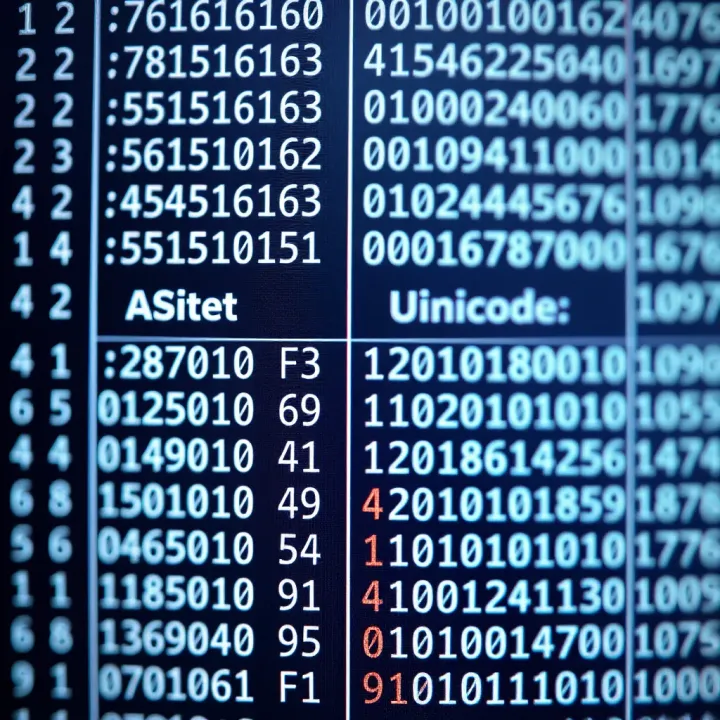
Encoding alphabets into binary is essential for computers to understand and process text. Without encoding, the series of zeroes and ones that digital devices use would be meaningless strings rather than letters or symbols. This section explains how alphabets get translated into binary code and why it matters for various applications.
In computing, encoding is the method that converts characters—like letters and symbols—into a binary format computers can handle. Every character gets assigned a unique binary number. This process allows computers, which work only with binary, to represent readable text. For example, the letter ‘A’ isn’t stored as ‘A’ but rather a specific series of bits like 01000001.
Encoding is necessary because digital devices only recognise ones and zeros. Without encoding schemes, the machine couldn’t distinguish between different letters or symbols. Moreover, encoding standardises text representation so that different systems and software can exchange information seamlessly. This uniformity is especially vital for communication and data processing.
The American Standard Code for Information Interchange (ASCII) was one of the earliest character encoding schemes, designed specifically for English alphabets. It uses 7 bits to represent characters, allowing for 128 unique symbols, including uppercase (A-Z) and lowercase (a-z) letters, numbers, and basic punctuation.
In ASCII, each English alphabet corresponds to a specific binary code. For instance, uppercase 'A' is 65 in decimal or 01000001 in binary, while lowercase 'a' is 97 or 01100001 in binary. This straightforward mapping makes ASCII popular for English text processing.
For example:
A: 01000001
B: 01000010
a: 01100001
b: 01100010
These patterns allow systems to store, transmit, and display plain English text consistently across computers.
ASCII’s limitation lies in its focus on English alphabets only. To support languages worldwide, Unicode was introduced. Unlike ASCII’s fixed 7-bit system, Unicode uses variable-length encoding (most commonly UTF-8) that can represent over 1,10,000 characters from many languages, including Indian scripts like Devanagari, Tamil, and Bengali.
Unicode differs from ASCII mainly in scale and flexibility. While ASCII covers English alphabets and a small set of symbols, Unicode includes scripts for Hindi, Tamil, Telugu, and more, enabling multilingual computing.
The binary structure of Unicode characters depends on encoding forms like UTF-8, UTF-16, or UTF-32. UTF-8 is widely used in India’s digital services since it minimises storage by using one to four bytes per character based on complexity. For example, the Devanagari letter 'क' (ka) in UTF-8 is represented with the binary sequence 11100010 10000100 10101100.
Unicode’s ability to encode diverse scripts ensures that computers and mobile devices can handle texts from different Indian languages alongside English without data loss or misinterpretation.
Understanding these encoding systems helps traders, analysts, and students handle digital data effectively, whether reading reports in English or regional languages. Proper character encoding is the backbone of digital communication, enabling the seamless exchange and storage of textual information across platforms and languages.
Binary representation of alphabets forms the backbone of modern computing. Without translating letters into binary, sharing text across devices or storing it digitally would be impossible. This section explores how binary alphabets enable communication between computers and support data storage and processing, which ultimately drives functionalities we often take for granted.
Binary alphabets allow computers to transmit text data reliably. Every character in a message converts into a binary code, which computers exchange as electrical pulses or signals. This uniform binary language ensures that devices, regardless of brand or model, understand each other precisely. For instance, when you send a message on WhatsApp or an email, the letters are encoded into binary before being transmitted across networks.
In internet and networking, binary alphabets facilitate protocols like TCP/IP, where data packets carry binary-encoded text. DNS queries, HTTP requests, and chat messages all use these codes to maintain consistent communication. For example, the letter ‘A’ is represented by 01000001 in binary (ASCII), which routers and servers recognise when routing information. This system supports India’s extensive mobile internet use, where text messages and emails fly across networks in binary form every second.
Text files store alphabets as binary sequences. Formats like TXT or CSV encode letters in ASCII or Unicode, allowing your computer or mobile to save readable content as compact binary information. When opening a document from Google Drive or downloading a PDF from an Indian education portal, you’re actually accessing binary codes interpreted into human-readable text.
Memory representation goes beyond static storage. During processing, computers load these binary alphabets into RAM as bits and bytes, instructing the CPU how to display or manipulate text. For example, when editing a document on MS Word or creating an email in Outlook, the software tracks binary codes for each character typed. Each character’s binary form is crucial for functions like spell-check, font rendering, and copy-paste. This continuous conversion is seamless but vital.
Understanding binary alphabet use clarifies how everyday digital exchanges and data handling work behind the scenes, making technology feel more accessible and manageable.
In summary, the practical use of binary alphabets is integral for text communication over the internet and local processing. From smartphones in Mumbai to trading terminals in Bengaluru, binary codes ensure alphabets flow smoothly across digital platforms, enabling clear and consistent data exchange.
Converting alphabets to binary and the reverse process are fundamental to how computers handle text. This conversion allows letters to be represented as sequences of zeroes and ones, making them readable by digital devices. For traders, analysts, and students diving into computing or digital communications, understanding these conversions sheds light on data storage, text processing, and even cryptography.
Step-by-step method to convert letters to binary involves starting from the character’s standard encoding value, usually from ASCII or Unicode. For example, the capital letter 'A' has an ASCII decimal value of 65. To convert ‘A’ into binary, you divide 65 by 2 repeatedly and note the remainders until the quotient becomes zero. Writing the remainders in reverse order forms the binary code 01000001. This manual approach helps reinforce how digital systems break down data.
This technique also emphasises the importance of bit length. ASCII characters typically use 7 or 8 bits, while Unicode can extend beyond that, especially for global alphabets. Understanding the bit length clarifies why storage requirements differ for languages with larger character sets.
Understanding bit patterns goes beyond simply converting numbers. Each bit in a character’s binary sequence holds a place value, affecting the final output. For instance, in the binary 01000001, the bits at positions six and zero place values indicate the character 'A'. Recognising these patterns aids in troubleshooting encoding problems or when working with low-level data protocols.
Bit patterns also show why some alphabets can be compressed efficiently while others take more space, depending on how many bits are required per character. This understanding is particularly useful for developers involved in data compression or network transmission.
Online converters and utilities offer quick ways to switch between alphabets and their binary forms. For those learning or working with binary conversions, these tools save time and reduce errors compared to manual methods. Whether converting a single letter or a large text file, these web utilities handle ASCII and Unicode effortlessly.
Such converters are practical during code debugging, learning exercises, or demonstrations. They also support multiple encoding standards, catering to Indian scripts alongside English, enhancing their usefulness.
Programming languages and libraries provide automated ways to convert alphabets to binary and back. Languages like Python, Java, and C++ have built-in functions or libraries that interpret character encoding. For example, Python’s ord() function returns a character’s ASCII code, and bin() converts it to binary. Reversing the process uses chr() and integer parsing.
Using programming languages adds flexibility — you can handle bulk text, integrate conversions within applications, or customise encoding schemes. This is crucial for financial analysts or traders who might automate text-based data processing, reports, or signal communications.
Practical knowledge of converting alphabets to binary and back streamlines how data flows across technology, from basic text files to complex network exchanges.
In sum, manual methods build foundational understanding, while tools and programming allow efficiency and scalability in binary encoding tasks.
Binary representation of alphabets is not without its share of challenges. Understanding these hurdles helps grasp why certain encoding systems evolved and why some still struggle with today's diverse linguistic requirements. This section explores the key limitations and practical issues in alphabet binary representation.
ASCII’s constraints on language support: The American Standard Code for Information Interchange (ASCII) was a pioneering character-set encoding designed mainly for English alphabets and a limited set of symbols. While ASCII represents characters using 7 bits, allowing 128 unique symbols, it struggles to cover languages beyond the basic Latin script. For example, it cannot accommodate characters with accents, diacritics, or scripts used across India such as Devanagari or Tamil. This limits ASCII’s usefulness for handling multilingual text, especially in a country like India where dozens of scripts are in everyday use.
Because of these constraints, data systems relying solely on ASCII often fell short in international and local language computing, leading to misinterpretation or data loss when texts contained characters outside ASCII's range. Indian language typing, for instance, demands encoding that includes numerous vowel and consonant forms, which ASCII simply cannot represent.
Problems with backward compatibility: Although ASCII’s strict 7-bit structure simplified early computing, it also created headaches when new encoding systems emerged. Early attempts to expand ASCII, such as extended ASCII with 8 bits, introduced inconsistencies as different organisations assigned varied characters to the additional 128 code points. This resulted in backward compatibility problems where the same binary value could represent different characters depending on the encoding used.
For organisations and developers, these compatibility issues meant extra overhead in ensuring data integrity during transmission and storage. Legacy systems sometimes fail to display text correctly, appearing as gibberish when older ASCII-based data interacts with newer standards without proper translation. This tug-of-war between old and new encoding formats illustrates why migrating to universal standards like Unicode became necessary.
Complexity in encoding Indian scripts: Indian languages pose unique challenges for binary encoding because many scripts use conjunct consonants, vowel signs placed before, after, or above consonants, and context-dependent forms. Unlike English alphabets encoded as single fixed-length characters, Indian scripts often require multiple code points to represent one visual character, known as a grapheme.
For example, the Hindi word "प्रयोग" (prayog) involves combining consonants and vowels in a way that cannot be represented by a simple sequence of individual characters. This complexity demands encoding standards that support combining characters and context rules, which complicate storage, rendering, and conversion. This complexity itself has slowed full digital standard adoption for many Indian scripts despite advances.
Unicode standard advances and challenges: Unicode attempts to solve these issues by providing a unified encoding system that covers nearly every character and script worldwide, including detailed support for Indian scripts. It assigns unique code points for individual letters, modifiers, and conjuncts, allowing software to combine them correctly when displayed.
However, Unicode implementation is not without hurdles. Different font rendering engines, input methods, and rendering rules across devices can cause inconsistencies, especially for less common scripts. Plus, Unicode's complexity requires more processing power and careful software design. Still, it remains the most comprehensive and practical solution for multilingual computing today.
Unicode’s broad coverage promotes digital inclusion and seamless communication but demands ongoing efforts to address implementation inconsistencies, especially for script-rich languages like those in India.
By recognising these challenges in alphabet binary representation, programmers, students, and professionals can better appreciate the evolving standards and tools aimed at bridging linguistic diversity in the digital realm.
Explore how binary numbers convert into Gray code using truth tables 🔍. Understand the single-bit difference and see real-time examples for electronics and communication!

📘 Learn how to convert binary code into English easily. Understand binary basics, use tools, follow examples, and master data decoding challenges in computing.
Learn how to convert binary code into understandable words with clear steps, common challenges, and useful tools, perfect for students and developers alike 🖥️📚.

📊 Discover binary code's role in modern computing—from basics to complex applications in India's digital tech. Learn how zeros and ones shape our everyday devices! 💻
Based on 12 reviews