

Binary to English Translators: How They Work and Tools Explained
🔍 Explore how binary to English translators decode binary code into text. Learn about tools, manual conversion methods, and practical uses for seamless communication and coding.
Edited By
Amelia Hughes
Binary code forms the backbone of most digital communication and computing, representing data using just two states: 0 and 1. Though computers natively understand only this simple combination, humans prefer readable text. The process of turning this binary data into meaningful characters involves binary decoders.
At its core, a binary decoder converts binary input signals into a specific output — typically a character or instruction. For example, the binary sequence 01000001 represents the letter 'A' in ASCII (American Standard Code for Information Interchange). Using such standardised coding schemes, binary decoders allow digital devices to present information in a human-readable form.
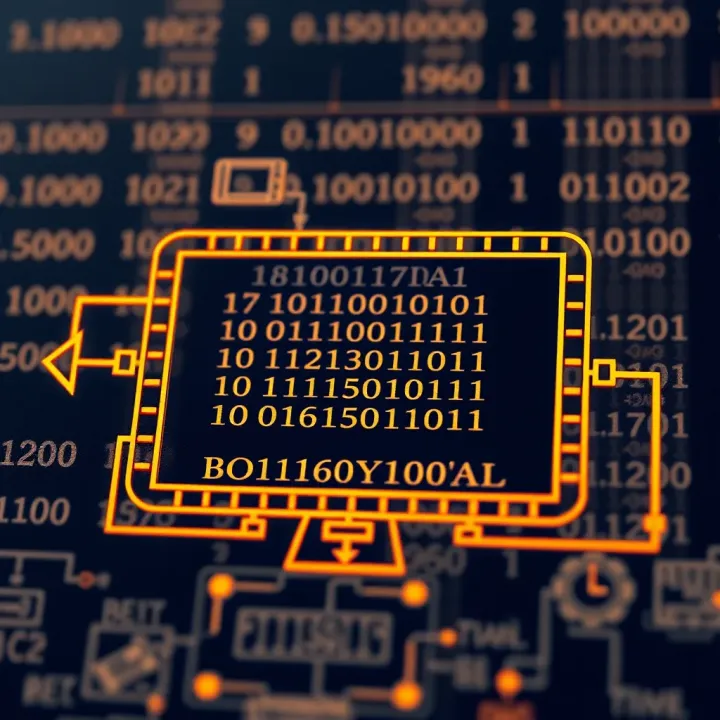
Understanding how these decoders work benefits traders, students, investors, and analysts alike. Many financial systems rely on digital protocols where raw data streams in binary form, requiring decoding before analysis or decision-making. Similarly, educational tools and software use these decoders to translate stored binary into text for users.
Key points to grasp include:
Binary Representation: Each character or symbol is linked to a unique binary pattern depending on the encoding standard.
Coding Standards: ASCII, Unicode, and UTF-8 are common text encoding systems used worldwide, with Unicode accommodating multiple languages, script types, and emoji.
Binary Decoder Function: These devices or software modules interpret binary sequences to output the corresponding character according to the specified encoding.
A binary decoder bridges the gap between machine-level data and human-readable text, proving essential for communication, data processing, and computer programming.
By understanding how to decode binary effectively, users can extract meaningful insights from raw digital data, leverage technology more efficiently, and appreciate the structured logic behind digital text representation. With this foundation, we can explore different decoder types, step-by-step decoding methods, and the practical tools available today.
Understanding the basics of binary and text representation is essential when decoding binary into readable text. This knowledge forms the foundation to grasp how computers handle information internally and convert it into formats understandable by humans.
The binary numeral system is the backbone of digital computing. It uses only two digits, 0 and 1, to represent all data, making it ideal for electronic circuits which have two distinct voltage states. For example, a simple ON/OFF switch in a computer corresponds to the binary digits 1 and 0. This simplicity ensures reliable and efficient data storage and processing.
Computers store and process all data — be it numbers, text, images, or audio — as sequences of these binary digits, called bits. Each bit can store a minimal piece of information, so multiple bits are combined to represent complex data. For instance, the number 5 is represented as 00000101 in an 8-bit binary system. This uniform approach enables computers to execute instructions rapidly and consistently.
ASCII is one of the earliest text encoding standards, assigning a unique 7-bit binary code to 128 characters, including English alphabets, digits, and common symbols. For example, the uppercase letter 'A' is 1000001 in ASCII. Despite its limitation to English characters, ASCII remains widely used in systems that demand straightforward and lightweight text encoding.
Unicode addresses ASCII’s limitations by accommodating characters from virtually all writing systems worldwide. UTF-8, a popular encoding form of Unicode, adjusts the number of bytes per character based on its complexity — from one byte for standard English letters to four bytes for rare symbols or emojis. This flexibility makes UTF-8 especially useful for applications needing multilingual support, such as websites and mobile apps.

The main difference lies in the range and adaptability of characters supported. While ASCII handles basic English text efficiently, it fails with non-English scripts or special symbols. Unicode, and particularly UTF-8, has largely replaced ASCII in modern computing because it supports diverse languages without needing multiple encoding tables. However, UTF-8 encoded text can use more storage space compared to ASCII for certain characters, which matters when working with vast textual data.
Knowing these fundamental concepts helps decode binary correctly and ensures the text is accurately represented across different platforms and languages.
This section has laid the groundwork by explaining binary basics and key text encodings. Next, we will explore how binary decoders work to transform these binary signals into meaningful text you can read and use.
Binary decoders play an essential role in converting machine-friendly binary code into forms humans can easily understand, such as readable text. They act as translators between the raw binary signals processed by computers and the text displayed on your screen. Without these decoders, interpreting binary data would be complex and error-prone, especially for traders, analysts, or students working with raw data in programming or data communication.
A binary decoder is a device or software that translates binary input signals into a specific, meaningful output. At its core, it takes the combination of zeros and ones and identifies which output line or symbol corresponds to that binary pattern. For text decoding, this means converting binary chunks into letters, numbers or special characters as per a text encoding standard like ASCII or Unicode.
This conversion is crucial because computers store all information digitally as binary sequences. Without decoders, those sequences remain indecipherable streams of zeroes and ones. For example, when you type a message, your keyboard input is converted to binary patterns. The decoder then translates this back into characters so applications like messaging or word processing display the correct text.
Binary decoders are found throughout digital systems, bridging the gap between hardware processing and user-level information. Common applications include computer memory addressing, where decoders determine which memory location to access, or in microcontrollers that convert sensor binary outputs into readable data.
Hardware decoders are physical circuits designed to translate binary inputs into outputs. These are widely used in electronic systems such as microprocessors and display units. For example, a 7-segment display decoder converts binary numbers into signals that light up the correct segments to show digits on the screen. This hardware approach offers speed and reliability, making it indispensable in embedded systems and real-time processing.
On the other hand, software-based binary decoding happens via programs that read binary data and convert it into text or other meaningful formats. This method works well for decoding large volumes of data or handling complex encodings like UTF-8. For instance, when you upload a binary file on your computer, software decoders extract readable text or images from it. This flexibility allows developers and analysts to work with different encoding formats without needing specialised hardware.
For practical use, hardware decoders ensure fast, reliable binary-to-text conversions in devices, while software decoders allow scalable, adaptable handling of various binary formats on standard computers.
In summary, understanding how binary decoders work and their types helps you appreciate their role in making digital communication and computing accessible and efficient. Whether hardware or software, these decoders are the silent workhorses converting raw binary data into meaningful information you can read and act upon.
Understanding practical methods to decode binary into text proves essential for traders, investors, and analysts who often encounter encoded data or want to grasp the underlying digital language in computing systems. This knowledge helps in verifying data integrity, debugging software, or even manually verifying transactions in financial applications relying on binary communication. Practical decoding techniques blend manual skills with tools, enabling both detailed examination and efficient processing.
Manual conversion involves translating binary strings into ASCII characters by grouping bits into sets of eight (one byte) each. For example, the binary sequence 01001000 01100101 01101100 01101100 01101111 represents the word "Hello" in ASCII. Each 8-bit segment converts to a decimal number—for instance, 01001000 equals 72—which corresponds to an ASCII character (72 translates to 'H'). This step-by-step method allows precise control and understanding but can be time-consuming for longer texts.
Manual decoding is particularly useful in educational contexts, helping learners appreciate how computers store and interpret text. It also aids troubleshooting when automatic tools return unexpected results, making it easier to pinpoint errors or anomalies in data.
Common mistakes in manual decoding include miscounting bits or failing to separate the binary correctly into bytes. Users sometimes miss leading zeros, altering the intended character code. To avoid such pitfalls, it's important to consistently group bits in eight, double-check the length of binary inputs, and cross-reference with ASCII tables. Maintaining accuracy during this process ensures the text output properly reflects the binary data.
For faster, error-free decoding, many turn to popular online binary to text converters. Websites like RapidTables or BinaryHexConverter offer user-friendly interfaces where you can paste or upload binary code and instantly translate it to readable text. These tools save time, especially when dealing with lengthy or complex binary sequences common in software logs or data files, making them relevant for professionals who need quick insights.
Offline software applications cater to bulk and automated decoding needs, suitable for larger datasets or repeated use. Programs such as Notepad++ with plugins, CyberChef, or custom Python scripts automate translation without manual input each time. Financial analysts dealing with batch transactions or system-generated logs benefit from such automation, as it reduces errors and boosts efficiency.
Leveraging both manual techniques and digital tools strikes a balance between understanding the process and handling volume. Manual decoding teaches fundamentals, while tools aid real-world, time-sensitive tasks.
Overall, applying these methods enhances clarity in working with binary-encoded data, empowering users with both practical skills and efficient workflows.
Understanding real-world examples and applications of binary to text conversion is essential. It bridges the gap between abstract binary data and the readable information they represent, showing how everyday digital systems rely on this process.
Data communication and protocol encoding
Binary decoding is fundamental in data communication. When devices exchange information over networks or serial communication, data is transmitted in binary form. Decoders then convert this raw binary data back into text messages, commands, or files. For example, internet protocols such as HTTP or SMTP encode text headers and content in binary format, which devices decode to display web pages or emails. This ensures that messages sent over vast distances remain accurate and understandable at the receiving end.
Text display in computing devices
All computing devices—whether a smartphone, computer, or ATM—use binary codes to store and display text. When you read a message on your mobile screen, the binary decoder translates stored binary data into meaningful letters, numbers, and symbols. This process allows varied languages and characters to be rendered correctly. Unicode encoding, decoded from binary, supports Indian scripts such as Hindi, Tamil, or Bengali, making text readable to millions. Efficient binary-to-text decoding ensures smooth user experiences in diverse devices and applications.
Programming and debugging
Binary decoding plays a practical role in software development. Programmers may need to view or edit the binary data that represent text strings during debugging or reverse engineering. For instance, in embedded systems programming for Indian-made electronics, developers decode binary logs or firmware messages to diagnose problems. Tools that convert binary dumps into human-readable text simplify troubleshooting. This decoding clarity aids developers in ensuring software behaves as intended.
Teaching computer fundamentals
Binary to text conversion helps students grasp core computing concepts like data representation and processing. Educational exercises often include manual decoding tasks that show how computers understand and display text. In Indian engineering colleges or schools, practical sessions use binary tables and ASCII codes to illustrate how digital text works. These activities build foundational knowledge crucial for fields such as computer science and electronics.
Practice exercises for binary decoding skills
Regular practice decoding binary sequences into text sharpens problem-solving abilities and technical understanding. Students preparing for exams such as JEE or UPSC technical papers benefit from exercises that involve converting binary messages to ASCII or Unicode text. This hands-on approach helps memorise coding standards and identify conversion errors quickly. It also prepares learners for real-world roles where reading binary data accurately can be vital.
Accurate binary decoding underpins modern communication, computing devices, and learning processes, making it a skill worth mastering for anyone working with digital data.
Overall, the examples and applications show how binary-to-text decoding is not just a theoretical concept but a practical tool in technology and education across India and beyond.
🔍 Explore how binary to English translators decode binary code into text. Learn about tools, manual conversion methods, and practical uses for seamless communication and coding.
🔍 Explore linear vs binary search methods, how they work, strengths, pitfalls, and when to use each for efficient data searching in various scenarios.
Learn how to convert binary numbers (0s and 1s) into decimal system easily 🔢. Understand place values, stepwise conversion, plus its role in computing 💻 and electronics.
Learn how to convert octal numbers (base 8) to binary (base 2) with clear steps, tips, and common errors explained 📊 Perfect for students & programmers!
Based on 11 reviews