
Linear vs Binary Search: How They Work & When to Use
🔍 Explore linear vs binary search methods, how they work, strengths, pitfalls, and when to use each for efficient data searching in various scenarios.
Edited By
Benjamin Hughes
Binary to English translators convert the numeric language used in computers—binary code—into readable English text. Binary, a sequence of zeroes and ones, represents data at the most basic level inside digital systems. Understanding how these translators work can benefit traders, investors, and financial analysts by helping them grasp data encoding in computing and communication platforms.

Binary code is the foundation of all digital data. Each digit, called a bit, is either 0 or 1. Eight bits form a byte, which typically encodes one character in the ASCII (American Standard Code for Information Interchange) scheme. For example, the binary string 01001000 01100101 01101100 01101100 01101111 corresponds to the word "Hello" in English.
These translators take binary streams and convert them into human-readable language by mapping each binary byte to its corresponding character. This process is essential for decoding messages, debugging code, or working on data transmission and storage mechanisms. Financial data systems, messaging services, and coding platforms often handle binary data behind the scenes.
Input: A binary string, usually grouped in bytes
Decoding: Each byte is matched against a character set—commonly ASCII or Unicode
Output: The corresponding English text or characters
For example, 01000001 translates to ‘A’ in ASCII.
Knowing how to read or convert binary manually can come handy during troubleshooting or understanding data feeds directly.
Viewing raw market data dumps encoded in binary
Debugging communication between trading terminals
Learning basic data representation to enhance coding skills for algorithmic trading
Binary to English translators simplify these tasks, helping professionals work efficiently without spending excessive time on low-level data coding.
Next, we will cover popular online tools and software that make this translation effortless along with manual conversion techniques.
Binary code forms the foundational language of all computing devices. Understanding its basics is crucial for grasping how computers process and communicate information. This section breaks down what binary is, why it's vital to computing, and why translating binary into English matters.
Binary code is a system that uses just two symbols: 0s and 1s. Each symbol is called a bit (short for binary digit), which can represent a simple state such as on/off or true/false. The simplicity of binary makes it ideal for electronic circuits, which are either powered or unpowered at any given moment.
This basic building block—the bit—serves as the smallest unit of data in computers and digital communications. Multiple bits combine to represent more complex information. For instance, eight bits make a byte, which can represent a single character, such as a letter or number.
Computers understand instructions and data strictly through binary. This language is universal across all computing platforms and underpins processes from calculating sums to streaming videos. Without binary, computers would struggle to operate reliably.
Every piece of data—whether text, images, audio, or video—is ultimately reduced to long sequences of 0s and 1s. The role of binary as the language of computers means it’s the native format at machine level. Programming languages, software, and operating systems eventually translate high-level commands into binary instructions for execution.
Data representation using 0s and 1s offers efficiency and precision. For example, the letter 'A' in ASCII code is represented as 01000001 in binary. This makes it straightforward for machines to process the information rapidly.
This binary representation extends beyond text. Colours in digital images are often stored as combinations of binary values representing red, green, and blue intensities. Audio files store sound waves by encoding them into binary numbers. Hence, the seemingly simple 0s and 1s carry vast amounts of meaningful data.
When computers output data, it usually appears as binary, which is incomprehensible to humans in raw form. Translating this binary into English or readable text allows users to understand what the computer is communicating. For example, software logs or error messages might be stored in binary and need decoding to be actionable.
This translation is essential for transforming machine-level data into a format that humans can read, analyse, and make decisions upon. Traders, analysts, and developers often rely on this conversion for interpreting reports or debugging software where binary representation plays a key role.
In software development and debugging, translating binary is vital. Programmers frequently need to check if the data a program produces matches expected outcomes. Binary translation helps them verify steps, spot bugs, and understand program behaviour at the lowest level.
For instance, during network protocol testing, developers might analyse raw binary packets to ensure data integrity. Without converting these into human-readable forms, identifying issues would be like hunting for needles in a haystack.
Understanding binary and its translation to English is not just an academic exercise; it's a practical skill that supports better communication between humans and machines. This knowledge empowers traders, analysts, and developers to make sense of complex data hidden in simple bits.
In short, grasping the basics of binary code and why it needs translating helps you decode the silent language computers speak every day.
Understanding how binary to English translators work is key for anyone dealing with computer data or programming. These tools decode streams of 0s and 1s—binary code—into readable English text, bridging the gap between machine language and human understanding. For traders, investors, or financial analysts, this knowledge can aid in interpreting raw data outputs or debugging scripts in automation tools.
The first step involves grouping the continuous stream of binary digits into groups of eight, known as bytes. Each byte represents a single character. For example, the binary sequence 01001000 01100101 01101100 01101100 01101111 equals five bytes, which correspond to the English word "Hello." Without breaking the binary data into these fixed-size chunks, the translator cannot correctly interpret the characters.
This chunking is critical because computers process data in bytes; even the smallest mistake in byte division can cause incorrect translation results. So, any reliable translator begins by slicing input into these 8-bit segments for accurate decoding.
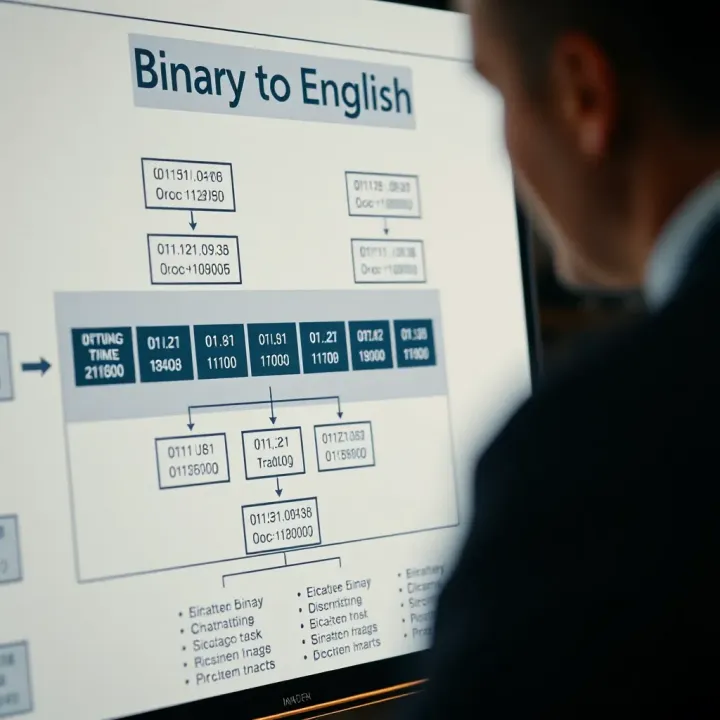
Once the binary sequence is divided into bytes, each byte maps to a specific character based on a text encoding standard, typically ASCII or Unicode. ASCII uses 7 or 8 bits and supports mainly English letters, digits, and some control characters. On the other hand, Unicode covers a vast range of scripts and symbols from different languages, making it necessary for global use.
For instance, the byte 01000001 maps to the letter 'A' in ASCII. But if the binary comes from a multilingual source, Unicode ensures characters like 'अ' (Hindi letter) can be represented. Translators switch between these standards depending on user needs or data origin.
Decoding binary data accurately also depends on recognising the encoding standard used originally. Since multiple standards exist—UTF-8, UTF-16, ASCII—choosing the correct one impacts how bytes convert into characters.
Imagine receiving a binary message encoded in UTF-16 but processed as ASCII; the output would appear garbled. Thus, good binary to English translators allow users to specify or auto-detect encoding formats. This flexibility matters, especially when working with data extracted from diverse sources like databases, network transmissions, or IoT devices.
Binary data may sometimes be incomplete or corrupted due to transmission errors, causing the translator to stumble. Missing bits or extra data can shift byte divisions, resulting in meaningless output.
For example, if a binary sequence has a missing bit, the translated text might show strange symbols or nothing coherent at all. Reliable translators detect such issues and often prompt users to check their data or supply error-correction options.
Different systems may encode the same text differently, complicating direct translation. Misalignment in encoding leads to incorrect character mapping.
Suppose you have binary data encoded in Latin-1 but try decoding it with UTF-8 settings; the result would be nonsensical. Translators need to handle these variances thoughtfully, either by allowing manual encoding selection or by analysing byte patterns to guess the encoding.
Not all binary data represents readable text. Some binary streams contain images, audio, or executable code. Translators focused on text cannot convert these types meaningfully.
For instance, a binary sequence for a JPEG image contains headers and compressed data—not ASCII characters. If a translator attempts to interpret such data as text, it produces gibberish. Understanding this limitation helps users avoid confusion when working with binary from non-text sources.
Smooth translation from binary to English depends on byte management, correct encoding application, and awareness of data nature. Knowing these elements helps you choose or use translators more effectively, especially when handling diverse digital content.
In short, the inner workings of binary to English translators rely on precise data handling and correct encoding standards. Being aware of these specifics ensures better results while working with binary data across finance, software, or education.
Online tools for converting binary code into English text simplify a traditionally tedious process. These translators bring practicality to programmers, students, and anyone dealing with binary data by turning streams of 0s and 1s into readable language instantly. For people involved in software debugging or educational exercises, such tools are essential for quick and accurate interpretation.
A straightforward interface makes a big difference, especially for those new to working with binary code. Tools featuring clean layouts with clear instructions allow users to input data without confusion. For traders or analysts with tight schedules, this means no time is wasted figuring out complex menus or options. For example, a simple textbox with a ‘Convert’ button reduces friction and encourages repeated use.
Binary data comes in various flavours depending on context—ASCII, Unicode, UTF-8, and so on. Reliable translators offer options to choose or automatically detect encoding formats, ensuring accurate conversion regardless of the source. This versatility matters because limited support can produce gibberish or errors. Say you are analysing export files from different software where encoding varies; the right tool makes sure you see meaningful text rather than confusing symbols.
Speed matters, particularly for professionals who work with large datasets or need quick verification. Good online translators handle even sizeable binary inputs swiftly, avoiding frustrating delays. For instance, batch processes converting thousands of bytes should execute in seconds. Slow tools risk disrupting workflow, especially during data analysis or debugging sessions where time is money.
Several free websites cater well to casual users, students, and professionals alike. These platforms usually provide unlimited conversions at no cost, making them ideal for testing small code snippets or learning. Websites like RapidTables and BinaryTranslator offer basic functionality with dependable results suitable for non-commercial use.
For traders or analysts handling volumes of binary data at once, batch processing saves effort. Some specialised converters take input files or large text blocks and process them in one go. This feature is a time-saver when analysing multiple logs or message dumps. It avoids repetitive manual conversions and reduces human error.
In today’s fast-moving environment, mobile apps let users convert binary to English wherever they are. Applications like Binary Decoder for Android or iOS allow quick checks without access to a computer. This is convenient when inspecting data during meetings or while travelling, ensuring you stay productive without carrying extra devices.
Choosing the right online binary to English translator depends on your specific needs — ease of use, encoding support, speed, and device compatibility all play a part. Matching these features with your workflow can improve both accuracy and efficiency.
Manually converting binary to English remains relevant despite the many automated tools available. This process helps deepen your understanding of how computers interpret data at the most basic level. Besides learning, manual conversion ensures accuracy when automated tools give unexpected results. For instance, if you receive a suspicious code or message in binary, doing a quick manual check might reveal errors or intentional distortions.
Binary data is usually grouped into 8-bit chunks, known as bytes, because one byte can represent one character in most text encoding systems, particularly ASCII (American Standard Code for Information Interchange). Splitting a long binary string into these 8-bit segments allows you to isolate individual characters for translation. For example, the binary string 0100100001100101 can be split into 01001000 and 01100101 to find two separate characters.
This step is crucial since misaligned segments can lead to incorrect translation. Imagine trying to decode text by grouping bits into 7 or 9 only, which would scramble the characters and create gibberish.
Once you have the 8-bit chunks, convert each from binary to decimal (base-10) numbers. This usually means multiplying each bit by 2 raised to its position index, starting from zero on the right. For example, 01001000 equals 64 (2^6) plus 8 (2^3), summing to 72 in decimal.
Decimal values help bridge the gap between binary and character representation because encoding standards map characters to decimal numbers. Using a calculator, spreadsheet, or simple mental math can speed this step, though practicing manual conversions enhances your number sense and binary fluency.
After obtaining the decimal values, look up the equivalent characters in the ASCII table. In the previous example, decimal 72 corresponds to the letter 'H'. Similarly, decimal 101 matches 'e'. By translating each decimal number, you reconstruct the English text hidden in the binary data.
This lookup process underlines how computers store text: as numeric codes, not letters themselves. Understanding this aspect is particularly helpful for debugging programming errors where encoding issues arise.
Manual conversions allow students, freshers, and tech enthusiasts to grasp how binary underpins digital communication. Going step-by-step clarifies how abstract streams of 0s and 1s become meaningful characters. This hands-on approach supplements textbook learning by turning theory into tangible skills.
For example, a student preparing for computer science exams or competitive tests like JEE or BITSAT might manually convert key binary sequences to understand encoding better.
Automated binary to English translators are quick but can sometimes misinterpret data, especially with incomplete input or non-standard encoding. Manual conversion helps verify such automated outputs, ensuring the final text is accurate.
Imagine a scenario where a program outputs unexpected characters due to an encoding mismatch. By converting manually, you detect if the error lies in the input data or the translator's algorithm.
Not everyone has constant internet access to use online translators, especially when working in remote offices or during travel. Manual conversion methods empower users to decode binary messages without relying on web tools.
This independence proves valuable in situations like field research, hardware debugging on factory floors, or educational settings with limited connectivity.
Manual binary to English conversion enhances comprehension, ensures accuracy, and provides independence from automated services, making it an essential skill alongside using tools.
Binary to English translators play a vital role beyond academic interest; they have concrete uses in programming, development, and even daily activities. These translators help decode raw binary data into human-readable text, which is essential for debugging, data analysis, and communication. Understanding their practical applications helps programmers, students, and enthusiasts efficiently interact with machine-level information.
Debugging computer programs often involves inspecting the raw binary or machine-level data that software generates. When a program crashes or behaves unexpectedly, developers use binary translators to convert binary dumps or memory chunks into understandable text. This process reveals clues about variable values, error messages, and program states that aren't visible through normal code execution. For example, a developer debugging a faulty file parser might translate a binary log file to locate corrupted strings.
Understanding machine-level data is crucial in low-level programming and embedded systems. These environments frequently handle data in binary form, including sensor outputs, device instructions, or firmware code. Translators help convert such binary streams into ASCII or Unicode characters, enabling developers to verify data accuracy or make sense of device communications. For instance, in IoT applications, reading machine data in textual form can speed up troubleshooting on limited-resource devices.
Testing binary communication protocols requires converting transmitted binary signals into readable messages. Before devices officially communicate over protocols like UART or SPI, engineers simulate and inspect raw binary exchanges. Using translators, they confirm the correctness of message formats and detect anomalies early, which reduces development time and prevents costly mistakes in hardware-software interaction.
Decoding binary messages in puzzles or games often catches enthusiasts' attention. Many puzzle creators embed secret messages in binary, challenging solvers to translate them to English. Translators make it easier to reveal hidden clues or instructions, enhancing the gaming or puzzle-solving experience. For example, escape room games sometimes hide hints in binary codes.
Conversations in educational contexts benefit from translators when teaching digital literacy or computer science. Students learn about binary representation by converting binary strings themselves or using tools, reinforcing concepts practically. Translators act as hands-on aids during workshops or classrooms to connect theory with real-world application, making abstract ideas more concrete.
Exploring digital art or binary poetry showcases a creative use of binary translators. Artists sometimes encode poems, images, or art pieces as binary sequences to play with the contrast between cold digital code and human expression. Translators help decode these pieces, opening unique dialogues between technology and art. Exhibitions or online communities often share such binary creations, inviting viewers to translate and interpret.
Whether you're a developer debugging code or a student decoding a puzzle, binary to English translators bring clarity and accessibility to digital data, making technology more approachable.
This practical knowledge about binary translators equips you to use the right tools or techniques depending on your context—be it programming, education, or creative projects. Understanding where and how these translators fit saves time and deepens your grasp of digital systems.
🔍 Explore linear vs binary search methods, how they work, strengths, pitfalls, and when to use each for efficient data searching in various scenarios.

Learn how to convert octal numbers (base 8) to binary (base 2) with clear steps, tips, and common errors explained 📊 Perfect for students & programmers!
🔢 Learn how number to binary converters work, practical uses, easy methods & tools for quick conversion. Avoid common issues with our clear guide! 💻
Learn how to multiply binary numbers with clear steps and examples 🧮. Understand digital systems, computer arithmetic, and common challenges in this detailed guide.
Based on 15 reviews