

How to Convert Binary Numbers to Decimal
Learn how to convert binary numbers to decimals with easy steps and clear examples. Master number systems and their role in computing! 💻🔢
Edited By
Mia Bennett
In today's digital world, understanding the basics of number systems is essential, especially for traders, analysts, and students dealing with computing and finance. Binary numbers form the backbone of computer operations, while decimal numbers remain the standard for everyday counting and calculations.
The binary number system is base-2, using only two digits: 0 and 1. Every binary digit, or bit, represents an increasing power of 2 starting from the rightmost digit. In contrast, the decimal system is base-10, with digits from 0 to 9.

Converting binary numbers to decimal helps you interpret machine-level data in a format that's easier to understand and analyse. Whether you are decoding financial algorithms or studying data structures, this skill is quite handy.
Breaking down a binary number into its decimal equivalent involves multiplying each bit by its corresponding power of 2 and then adding all those values together.
Here’s why this matters:
Traders and financial analysts often rely on computer-generated data, where behind the scenes, numbers are stored and processed in binary.
Students and developers need to grasp number conversions to write efficient code and debug computational processes.
Brokers using analytical tools benefit from understanding how data representation affects system performance.
Consider the binary number 1011. From right to left, the place values represent 2⁰ (1), 2¹ (2), 2² (4), and 2³ (8). Multiplying each binary digit by its place value and adding them gives its decimal equivalent:
1 × 8 = 8
0 × 4 = 0
1 × 2 = 2
1 × 1 = 1
Adding these up: 8 + 0 + 2 + 1 = 11 (decimal).
This article guides you through straightforward steps and examples to convert binary numbers into decimal, enhancing your understanding and practical skills in number systems relevant to your field and daily activities.
Understanding the binary number system is key to converting binary numbers into decimal numbers effectively. Since binary underpins most computer operations and digital electronics, learning how it works helps demystify how data is stored and processed. This knowledge is particularly useful for traders, analysts, and students who deal with computing systems or digital data analysis.
The binary system, also known as base-2, uses only two digits: 0 and 1. Each digit, called a bit, represents an on-off state, which matches how electronic circuits operate. Compared to our usual decimal system (base-10), which has ten digits from 0 to 9, binary simplicity allows computers to manage complex operations using simple switches.
For instance, the binary number 101 is made up of three bits. Each bit's position indicates its value, and understanding this helps in performing conversions to decimal, where values are easier for us humans to interpret.
The contrast between the binary and decimal systems lies mainly in their bases. The decimal system's base-10 reflects our use of ten fingers for counting, while the binary system's base-2 corresponds to two possible states per digit. This difference affects the numbering and place values, which is crucial during the conversion process.
Each digit in a binary number has a specific role based on its position. From right to left, every bit represents a power of two, beginning with 2^0 (which equals 1). This positional value determines how much each ‘1’ or ‘0’ contributes to the overall decimal value.
Take the binary number 1101 as an example:
The rightmost digit represents 1 x 2^0 = 1
Next digit to the left is 0 x 2^1 = 0
Then 1 x 2^2 = 4
Leftmost 1 x 2^3 = 8
Adding these up (8 + 4 + 0 + 1) gives us 13 in decimal.
Recognising the weight of each position is critical. Unlike decimal numbers where each place is a power of ten (units, tens, hundreds), binary uses powers of two. This distinction explains why binary numbers appear longer for the same decimal value, but it also perfectly suits the binary electronics world.
Understanding the binary place value system is fundamental for converting binary numbers accurately into decimal form and grasping how computers interpret data.
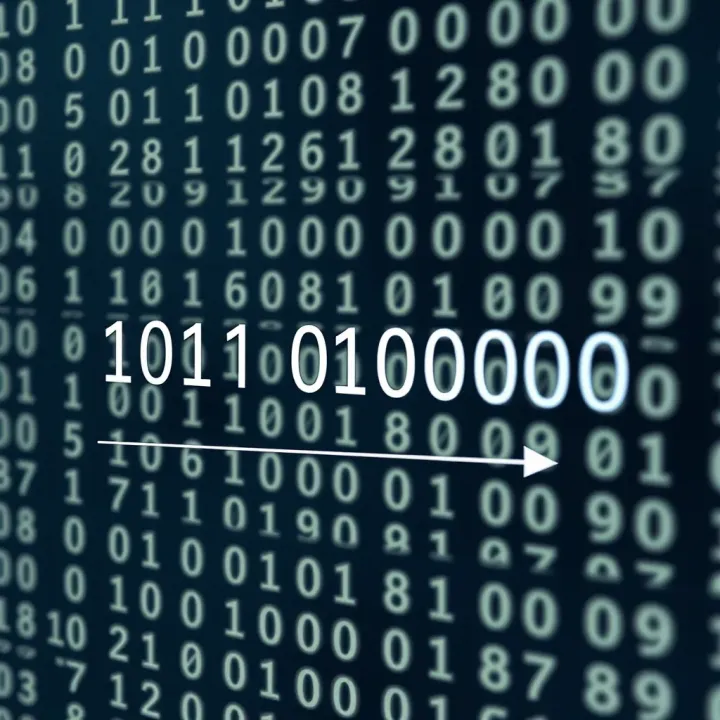
Understanding how to convert binary numbers into decimal is fundamental, especially for traders, analysts, and students working with digital data. The step-by-step method breaks down the conversion into manageable actions, helping avoid confusion and errors. This systematic approach ensures clarity whether you're working with simple or complex binary strings.
Valid digits in binary numbers are only 0 and 1. This is because the binary system uses base-2, which limits digits to these two. Spotting invalid digits early saves time and avoids mistakes during conversion. For instance, seeing a digit like 2, 3, or 9 clearly indicates an error since such numbers do not exist in binary. When inputting binary data, always double-check it contains just 0s and 1s.
Length and complexity considerations matter because the longer the binary number, the more calculations are involved. For example, a 4-digit binary number like 1011 is quick to convert manually, but a 16-digit binary string demands more care. Traders dealing with encrypted data or analysts working on machine-level data need to be patient and follow each step without skipping. Complex binary numbers shouldn’t be rushed because overlooking a single digit can distort the final decimal outcome.
Multiplying each binary digit by its place value is the main action. Each binary digit corresponds to a power of 2, starting from 2⁰ on the right. For the binary number 1101, the rightmost 1 is multiplied by 2⁰ (which is 1), the next 0 by 2¹ (2), the next 1 by 2² (4), and the leftmost 1 by 2³ (8). Multiplying each digit by its place value helps assign the decimal weight correctly. This process allows you to see how each binary digit contributes to the final decimal number.
Summing products to find the decimal equivalent comes last. After finding each digit’s weighted value, add them together. From the example above, you get 1×8 + 1×4 + 0×2 + 1×1 = 8 + 4 + 0 + 1 = 13 in decimal. Adding the products gives the decimal equivalent, offering a precise numeric value understood universally. This step is straightforward but critical to final accuracy.
Remember, working step-by-step helps reduce errors, especially when handling long or unfamiliar binary sequences. Simple checks, like validating digits and carefully multiplying place values, make the conversion reliable and manageable.
By following this method, you can convert any binary number to decimal without fumbling through complicated maths or software. This skill comes in handy in tech-driven jobs and academic settings alike, making it an invaluable tool in your knowledge base.
Examples play a key role in truly understanding how to convert binary numbers into decimal. They bring clarity to the process, making abstract concepts more tangible. For traders, investors, financial analysts, and students alike, working through real cases helps build confidence with the method and highlights common pitfalls to watch out for.
Converting small binary numbers like 101 or 11:
Small binary numbers are the first step in grasping the conversion concept. Taking binary 101 as an example, you multiply each digit by its place value: (1×2²) + (0×2¹) + (1×2⁰) equals 4 + 0 + 1, which sums to 5 in decimal. Similarly, the binary number 11 converts to 3 because (1×2¹) + (1×2⁰) equals 2 + 1. These simple conversions help beginners see how each binary digit translates into decimal value straightforwardly.
Breaking down small binaries helps demystify the method and provides solid groundwork before moving on to more complex cases. This benefits anyone working with data formats or logic operations—the basics often appear in computing environments familiar to Indian IT professionals and students.
Verification of results:
It's important to verify your conversions, especially when using them in financial or technical calculations. A good practice is to convert the decimal result back into binary to confirm accuracy. For instance, if you convert binary 101 to 5, converting 5 back should give you 101. This simple cross-check prevents errors and boosts reliability.
Verification also cuts down costly mistakes in software programming or algorithmic trading where incorrect number interpretation might lead to wrong predictions or financial loss. Going the extra mile to confirm results ensures your data remains trustworthy.
Handling longer binary numbers:
As you work with longer binary sequences, such as 1101011 or 100110101, the number of calculations increases, but the principle stays the same. The challenge lies in keeping track of place values and preventing computation errors. For instance, converting 1101011 involves summing multiples of 2 raised to the power of each digit’s position, from right to left.
Handling longer binaries becomes relevant for programmers dealing with memory addresses or digital signals, where large bit patterns are common. Financial analysts may also encounter longer binaries in encryption or data representation within algorithmic tools.
Common mistakes to avoid:
One frequent mistake is confusing the digit’s position, especially when counting place values. An error in indexing from right to left often leads to wrong conversion. Forgetting to multiply by the correct power of 2 or mixing place values can create large deviations in the final result.
Another pitfall is mixing binary digits with decimal ones or including digits beyond 0 and 1, which invalidates the binary number itself. Without careful attention, these mistakes compound quickly in long sequences.
To avoid these issues, write down each step methodically and double-check digits. Using grouping methods or splitting long binaries into smaller chunks can help manage complexity effectively.
Accurate conversion from binary to decimal needs careful handling of digit positions and consistent verification, especially with longer numbers where errors can easily creep in.
This section’s examples ensure you grasp the practical side of conversions, making the abstract process more approachable and less prone to errors in day-to-day use or technical applications.
Converting binary numbers to decimal manually can be time-consuming, especially for longer sequences. Tools and techniques help simplify this process, making it faster and reducing errors. Using calculators or software automates the conversion, while manual tips speed up mental calculations.
Digital tools for conversion are widely available, both as online converters and smartphone apps. These tools often require you to input the binary number, and they instantly display the decimal equivalent. This eliminates the risk of calculation mistakes, which is helpful for traders or financial analysts dealing with binary-coded data or programming tasks.
Online converters usually have a straightforward interface. To use them effectively, simply enter the binary number without spaces or extra characters, then click the convert button. Some tools even allow batch conversion, saving time when you have many numbers to process. Always double-check input to avoid errors—for instance, entering 102 instead of 10 will produce invalid results.
Certain binary patterns appear frequently, and recognising them can speed up conversion. For example, 1010 in binary equals 10 in decimal, and 1111 equals 15. Memorising such common groups helps you quickly estimate values without full calculations.
Another useful technique is grouping bits in sets of four, known as nibbles. Splitting long binary numbers into these groups allows you to convert each nibble into decimal or hexadecimal separately, which is easier than handling a long string at once. For instance, the binary number 11010111 splits into 1101 and 0111, which are 13 and 7 in decimal respectively. Adding these carefully (considering their place values) speeds conversion and reduces mistakes.
Grouping and pattern memorisation help you convert binary numbers efficiently, whether manually or with a calculator. This skill is especially useful when quick data interpretation is required, such as during market analysis or software debugging.
Using these tools and techniques together provides a reliable way to handle binary-to-decimal conversion with accuracy and speed.
Understanding how to convert binary numbers into decimal is vital in many fields, especially computing and electronics. Binary forms the backbone of modern digital systems, but people mostly deal with decimal numbers in everyday life. Bridging these systems ensures smooth communication between machines and humans.
Computers use binary because it matches their hardware design. Inside a computer, circuits are either powered on or off, representing 1s and 0s. This simplicity reduces errors and makes processing faster. For example, when you save a file on your laptop, it's stored as a binary sequence. Without this system, computers wouldn’t reliably process data or instructions.
However, binary isn’t intuitive for humans. Most of us think in decimal—for example, ₹500 is easier to grasp than its binary form 111110100. That’s why software and programming often involve converting binary data into decimal numbers. When a developer debugs code or interprets data packets, these conversions make the machine’s language understandable. Similarly, programming languages offer functions that convert binary to decimal so programmers can work efficiently.
For IT students, grasping binary to decimal conversion is foundational. It helps them understand how computers communicate, process, and store information. For instance, when learning about IP addressing or memory allocation, knowledge of binary systems and how they translate to decimal is essential. It aids in problem-solving and develops logical thinking used extensively in programming and network design.
Beyond studies, binary to decimal conversions appear in daily electronics and software use. Take digital clocks that show time in decimal but track internally in binary for efficiency. Embedded systems in washing machines, smartphones, or even traffic signals rely on binary processing. Converting these binary signals into decimal values supports user interfaces and diagnostics. Also, when you see system error codes or hardware information, they often originate as binary data translated into decimal for easy comprehension.
Mastering binary to decimal conversion is not just academic; it enhances interaction with technology by translating machine language into human-friendly numbers.
Whether you’re analysing stock market data imported from digital systems or programming a calculator app, this knowledge keeps you connected to the digital world beneath everyday numbers.
Learn how to convert binary numbers to decimals with easy steps and clear examples. Master number systems and their role in computing! 💻🔢

Learn how to convert decimal numbers to binary 🧮, understand key number systems, and get tips plus practice problems to master binary conversion in computing.

Learn how to convert binary numbers (0s and 1s) into decimal system easily 🔢. Understand place values, stepwise conversion, plus its role in computing 💻 and electronics.

🔢 Learn how number to binary converters work, practical uses, easy methods & tools for quick conversion. Avoid common issues with our clear guide! 💻
Based on 13 reviews