

Understanding Binary Numbers and Their Uses
Explore how binary numbers work in computing 🖥️. Learn binary basics, decimal conversion, arithmetic, and their role in digital tech 🔢⚙️.
Edited By
Amelia Clark
Binary numbers form the foundation of modern digital systems, including computers and mobile devices. At its core, binary employs just two symbols — 0 and 1 — to represent all data. This simplicity makes it ideal for electronic circuits, which easily detect on/off states corresponding to binary digits (bits).
Understanding how to convert binary numbers into other numbering systems like decimal, octal, and hexadecimal is crucial for traders, analysts, and students alike. These conversions allow clearer interpretation of digital information, whether reviewing machine outputs, debugging software, or analysing financial models involving binary-coded data.
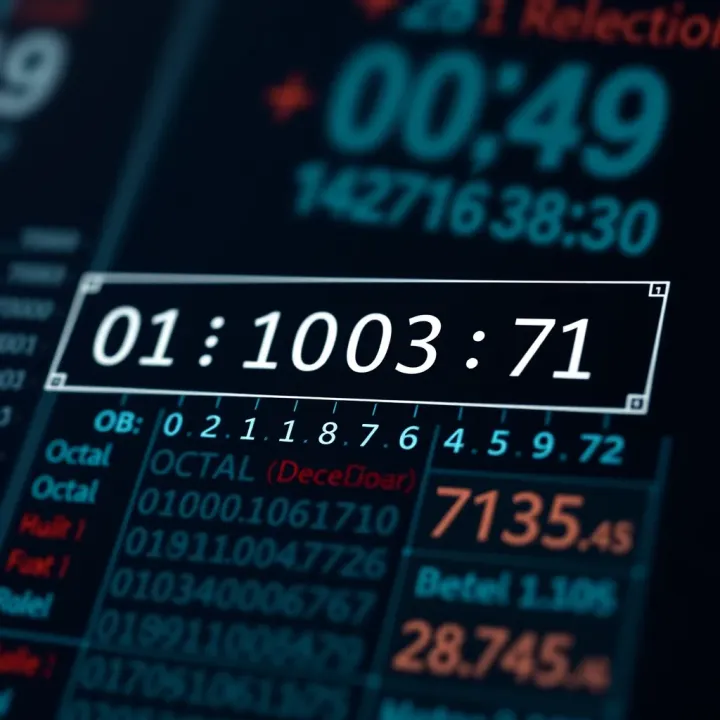
The decimal system is the most familiar; it runs on base 10, using digits 0 through 9. Binary, by contrast, works on base 2, and the positional values increase by powers of 2 rather than 10. For example, the binary number 1011 translates to the decimal number 11.
Octal (base 8) and hexadecimal (base 16) serve as shorthand representations of binary numbers. They shorten lengthy binary strings into fewer digits, making codes easier to read and work with. Octal uses digits 0 to 7, grouping binary bits in sets of three, while hexadecimal uses digits 0 to 9 and letters A to F, grouping bits by fours. This is quite handy in computer programming and network addressing.
Mastering these conversions not only improves technical fluency but also aids in decoding data embedded in financial algorithms and trading systems, which often operate on binary principles behind the scenes.
Common challenges in binary conversion include managing long binary sequences and avoiding errors in grouping bits correctly. Simple tips such as writing bits in groups and practising frequently help overcome these hurdles.
In the following sections, we will explore step-by-step methods for converting binary numbers to decimal, octal, and hexadecimal, with practical examples tailored to Indian readers involved in finance and technology sectors.
Understanding binary numbers is fundamental for grasping how modern computers operate. The binary system, using just two symbols—0 and 1—forms the basis of all digital processing. For traders, investors, or analysts dealing with technology stocks or fintech, knowing these basics clarifies how data storage, computation, and communication occur at the lowest level.
Binary number system basics: Binary represents numbers using only two digits: 0 and 1. Each digit is called a bit (binary digit). Unlike the decimal system, which uses ten digits (0–9), binary counts powers of two. For example, the binary number 101 represents 1×2² + 0×2¹ + 1×2⁰ = 4 + 0 + 1 = 5 in decimal. This simplicity is why digital devices favour binary—it directly aligns with two-state electronic circuits.
Use of binary in computers: Every operation inside a computer boils down to binary. Whether it’s arithmetic calculations, storing a file, or running software, data is represented as sequences of bits. The memory chips, processors, and networking hardware all work fundamentally on this system. For instance, a computer’s central processing unit (CPU) interprets machine code instructions encoded in binary to perform tasks.
Comparison with decimal and other systems: While humans find the decimal system more intuitive for daily use, binary offers unmatched clarity for machines. Other number systems like octal and hexadecimal act as shorthand versions of binary, making long strings easier for humans to read. Unlike decimal's base 10, octal is base 8 and hexadecimal base 16, each grouping binary bits differently for convenience.
Decimal system overview: The decimal system uses ten digits, 0 through 9, and is our everyday number system. It's suited for human counting because of historical and cultural familiarity. In computing, humans enter values in decimal, but these numbers get converted internally to binary for processing.
Octal and hexadecimal basics: Octal (base 8) and hexadecimal (base 16) number systems serve as a bridge between binary and decimal. Octal groups binary digits in sets of three, while hexadecimal uses groups of four bits. For example, binary 11110000 can be represented as 360 in octal or F0 in hexadecimal, providing shorter, more manageable codes.
How these systems relate to binary: Both octal and hexadecimal numbers map directly to binary, making conversions straightforward. Computer engineers and programmers often use them for debugging, memory address representation, and low-level programming because of their link to binary and cleaner readability. This relationship helps professionals spot patterns, verify data, and write efficient code without dealing with lengthy binary strings.
Learning binary and its related number systems equips you to understand the core language of computers, making technical tasks and analyses clearer and more manageable.
Converting binary to decimal is fundamental for anyone working with computers or digital systems, especially traders, investors, and analysts who often deal with underlying technical infrastructure in finance platforms. The binary system, based on two digits—0 and 1—is how computers process and store information. However, humans generally understand numbers in the decimal system, based on ten digits from 0 to 9. This conversion helps bridge the gap between computer operations and human interpretation, making technical data easier to read and work with.
Every digit in a binary number has a position that determines its value, just like in the decimal system. The rightmost digit represents the smallest value (2⁰), and moving left increases the power of two for each position. This ‘positional value’ means each bit (binary digit) contributes differently depending on where it sits. Understanding this helps decode the binary into a familiar number form.
For example, consider the binary number 1011. The digit on the far right stands for 1×2⁰ (which is 1), the next digit to the left is 1×2¹ (2), then 0×2² (0), and the leftmost digit is 1×2³ (8). Adding these gives us 8 + 0 + 2 + 1 = 11 in decimal.
Let's break down a few binary numbers and their decimal counterparts to see how the place values convert across the board:
Binary 1101 = (1×2³) + (1×2²) + (0×2¹) + (1×2⁰) = 8 + 4 + 0 + 1 = 13 decimal
Binary 10010 = (1×2⁴) + (0×2³) + (0×2²) + (1×2¹) + (0×2⁰) = 16 + 0 + 0 + 2 + 0 = 18 decimal
These examples make it clear why every place counts differently and why simply reading binary as decimal digits won't work.

Manual conversion process: Converting binary numbers by hand begins with writing down the binary number and assigning powers of two to each digit, starting from zero on the right. Next, multiply each bit by its corresponding power of two, then add all the resulting values together. This method is straightforward but requires careful attention to the place values.
Using powers of two: Powers of two grow quickly—1, 2, 4, 8, 16, and so on. This exponential growth implies that even a small binary number can represent a large decimal value. Understanding this can help you better grasp data sizes, memory addressing, or quantities expressed in binary, vital in computing environments.
Practical examples: Suppose you want to convert binary 101010 to decimal. First, write the positional values:
1 × 2⁵ = 32
0 × 2⁴ = 0
1 × 2³ = 8
0 × 2² = 0
1 × 2¹ = 2
0 × 2⁰ = 0
Adding these results: 32 + 0 + 8 + 0 + 2 + 0 = 42 decimal.
This clear, repeatable method helps traders and analysts understand how data like flags, address pointers, or coded messages translate into usable numeric values in digital finance platforms.
Knowing how to convert binary numbers into decimal enables you to interpret machine-level information meaningfully, making you better equipped to analyse systems or troubleshoot issues in technology-driven markets.
Converting binary numbers to octal and hexadecimal formats holds practical value for traders, analysts, and students working with digital data. These systems simplify the representation of long binary sequences, making the numbers easier to read, write, and analyse. This is especially handy when dealing with machine-level data or programming tasks that require compact and clear number formats.
Shortening long binary sequences: Binary strings can get quite lengthy, which complicates reading and error-checking, especially in financial algorithms or software code. Octal and hexadecimal are shorthand systems. For instance, a 12-bit binary number like 110100110101 turns into just 3135 in octal or D35 in hexadecimal, reducing visual clutter.
Shorter digit strings help prevent mistakes when entering data manually or reviewing code. This is useful for stock trading software or risk analysis tools where precision and speed matter.
Ease of reading and writing: Octal and hexadecimal use fewer digits to represent the same binary number, simplifying both display and input. Since these bases align neatly with binary groups (three bits for octal, four bits for hexadecimal), they reduce cognitive load.
Analysts examining memory addresses or colour codes (hexadecimal) find it easier to identify patterns. Programmers often prefer hex over binary since it is easier on the eyes and types quickly, speeding up debugging or configuring software.
Grouping binary digits in sets of three: To convert binary to octal, the binary digits are grouped from right to left in sets of three. If the last group has fewer than three digits, zeros are added on the left to complete the group. This grouping lets each set correspond directly to one octal digit since octal is base 8 (2^3 = 8).
For example, the binary number 101110 is split as 101 110. This step creates a clear map from binary bits to octal digits, easing conversion and error checking.
Matching groups to octal digits: Each 3-bit group converts into a single octal digit using the value of bits. For example, group 101 equals 5 in octal, while 110 equals 6. This direct mapping reduces conversion to simple lookup or addition, which traders and developers can perform quickly.
Such mapping ensures fast transformation of binary data into an easier format for client reports or software logs.
Examples: Take binary 100111 (grouped as 100 111), which converts to 4 and 7 in octal, making 47. For traders examining transaction IDs or device data, such compact representation saves space and reduces complexity without losing accuracy.
Grouping binary digits in sets of four: Similar to octal, but for hex, binary digits are split into 4-bit groups from right to left, padding zeros on the left if needed. Since each hex digit represents four bits (base 16), this makes conversion straightforward.
For example, 10101111 becomes 1010 1111.
Mapping groups to hexadecimal digits: Each 4-bit group converts to a hex digit between 0 and F. Using the previous example, 1010 corresponds to A, and 1111 converts to F. This mapping makes hexadecimal very popular for representing memory addresses, colours, and other binary data in concise form.
For anyone dealing with hardware-level data or software flags, this conversion is fast and less error-prone.
Examples: Binary 11110000 groups as 1111 0000, converting to F0 in hex. Such representations are common in colour codes in web design or firmware development—a routine task for IT professionals and programmers.
Understanding these quick conversion methods between binary, octal and hexadecimal makes handling complex data simpler and more efficient in real-world applications.
By mastering these, financial analysts and programmers can interpret, communicate, and manipulate data with greater clarity and precision.
Binary conversions form the backbone of modern computing, underpinning many crucial processes in both hardware and software. Understanding these conversions helps clarify how computers interpret and manage data, directly influencing fields like programming, electronics design, and communication technologies. This knowledge is especially helpful in streamlining complex operations into manageable, readable formats.
Computers operate using binary code since their fundamental components, transistors, recognise only two states: on or off. This binary logic allows machines to process vast amounts of information efficiently at the hardware level. For example, instructions stored in memory are represented in binary, enabling the CPU to perform arithmetic, logic, and control functions rapidly. Binary conversion simplifies representation, making raw data accessible for processing without ambiguity.
Programming languages and software rely heavily on binary representations for efficient memory management. Memory addresses in computers are expressed in binary to pinpoint exact locations in RAM or storage devices. For instance, understanding how a 32-bit or 64-bit address works requires familiarity with binary conversion. Programmers use hexadecimal notation often because it condenses lengthy binary data into shorter, easily readable digits, which speeds up coding and debugging.
Binary conversions are essential in networking, where IP addresses are fundamentally binary numbers that identify devices on a network. An IPv4 address like 192.168.1.1, commonly used in homes and offices, actually translates into a 32-bit binary number. Network routers and devices need these binary forms to function correctly during data transmission. Such understanding helps troubleshoot network issues or configure devices more effectively.
The vivid colours on your mobile phone or computer screen come from binary data stored and processed for each pixel. Colours in digital displays use the RGB system, where red, green, and blue components are each represented by binary numbers, typically 8 bits per channel. This means millions of colour combinations result from varying the binary values. Knowing this helps explain why images might appear dull or distorted if binary data gets corrupted or misread.
All digital storage, whether on a hard drive, SSD, or cloud server, depends on binary conversion to store and retrieve information. Files, from documents to videos, are encoded as binary sequences. This conversion is crucial for compression formats like MP3 or JPEG that use binary encoding schemes to reduce file size without significant quality loss. For those working in data analytics or IT, understanding binary conversions aids in optimising storage and managing data more effectively.
Mastering binary conversions bridges the gap between abstract numbers and practical technology, empowering you to grasp the mechanics behind everyday digital tools and innovations.
Converting binary numbers accurately is critical, especially when dealing with large data sets in finance, computing, or analytics. Mistakes can lead to incorrect results, potentially causing significant errors in decision-making or programme outputs. This section highlights common pitfalls and offers practical techniques to ensure precise conversions.
Misplacing binary digits often happens when reading or writing long binary sequences. For example, mixing up the position of a '1' in a 16-bit binary number like 1001101010010110 can quickly distort the decimal, octal, or hexadecimal equivalent. This error usually comes from losing orientation or visual distraction, particularly when the digits are not spaced or grouped for easier reading. In practical terms, this might affect financial calculations or data encoding where exact values matter.
Correct placement relies on understanding that every binary digit holds a specific place value—from right to left, representing powers of two. It is best to check work step-by-step or use grouped notation (like spacing every four or eight bits) to keep track. In trading software or financial models using binary, even a small misplacement can cause cascading errors.
Incorrect grouping for octal and hexadecimal conversions is another common pitfall. Since octal uses groups of three bits and hexadecimal uses four, failing to start grouping from the right or adding leading zeros to complete groups can cause wrong results. For example, converting the binary 1011011 to octal without proper grouping (e.g., groups 1 011 011 instead of 001 011 011) leads to an incorrect octal output. This mistake confuses beginners during manual conversion or when verifying results.
Being systematic means always grouping from the least significant bit (rightmost side), padding with zeroes on the left if needed. Accurate grouping simplifies the process of mapping binary to octal (0-7) or hexadecimal (0-F) digits, which is essential in programming or network address calculations.
Using calculators and software can save time and reduce human error significantly. Many financial analysis tools or programming environments include built-in binary conversion features. For instance, simple calculator apps in operating systems or spreadsheet functions allow entering binary directly to get decimal, octal, or hexadecimal versions instantly. This approach is particularly helpful for quick verifications or complex conversions beyond what’s easy to do mentally.
While these tools help, it is important to understand conversion principles to spot errors if outputs look suspicious. Automating routine conversions also frees up time to focus on analysis rather than manual number crunching.
Practising with examples remains one of the best ways to build confidence and accuracy. Repeatedly converting numbers of varying length and complexity trains the mind to recognise patterns, avoiding mistakes like digit misplacement or wrong grouping. For traders and students studying computing, practising conversion exercises develops speed and reduces reliance on tools alone.
Hands-on practice can include writing down numbers, checking with software results, and explaining the steps out loud. This method not only solidifies concepts but also identifies sticking points that need focused attention.
Visual aids and charts also enhance understanding and reduce errors. For example, binary conversion tables that list groups of three or four bits alongside their octal or hexadecimal equivalents can act as quick reference guides. Colour-coded charts that differentiate place values help prevent digit misplacements by making each binary position clear.
Educational institutions and finance courses often provide these aids as printable sheets or interactive online tools. Using these consistently during learning phases builds better accuracy and speed, especially for those new to number system conversions.
Accurate binary conversion is a skill that grows with practice and correct methods. Avoiding common mistakes and leveraging available tools can make this process straightforward and reliable, boosting efficiency in financial computations and digital tasks.
Explore how binary numbers work in computing 🖥️. Learn binary basics, decimal conversion, arithmetic, and their role in digital tech 🔢⚙️.

🔍 Explore the optimal binary search technique for faster, efficient data retrieval in sorted arrays. Learn key principles, advantages, and real-world use cases.
Explore binary numbers 🔢: their structure, how they differ from decimals, methods of conversion, and key uses in computing and digital electronics 💻⚙️.

Explore how numbers work in binary code 💻: basics, conversions, binary operations, and practical computer uses. Perfect guide for tech enthusiasts in India 🇮🇳.
Based on 5 reviews